

The chapter is about the installation of the device and connecting to other appliances, presenting also the mounting options.
WARNING!For the correct ventilation and to avoid overheating, ensure enough free space around the appliance and do not cover it.
INFO:In order to get the necessary mounting accessory, please contact sales@lightware.com.
INFO:More details about the accessories and the mounting can be found in the Mounting Assembly Guide (https://go.lightware.com/mounting-assembly-guide).
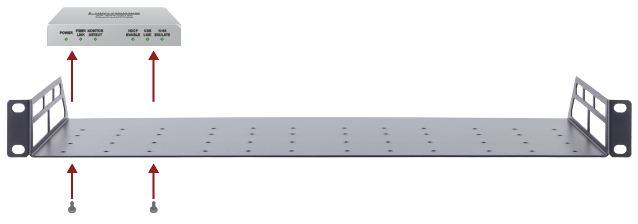
The 1U high rack shelf provides mounting holes for fastening four DP-OPT_150 extenders and put them into a standard rack cabinet (width of the Rack shelf is 448 mm – without the ears). Fix the device to the Rack shelf as shown in the figure: