


Generate Report
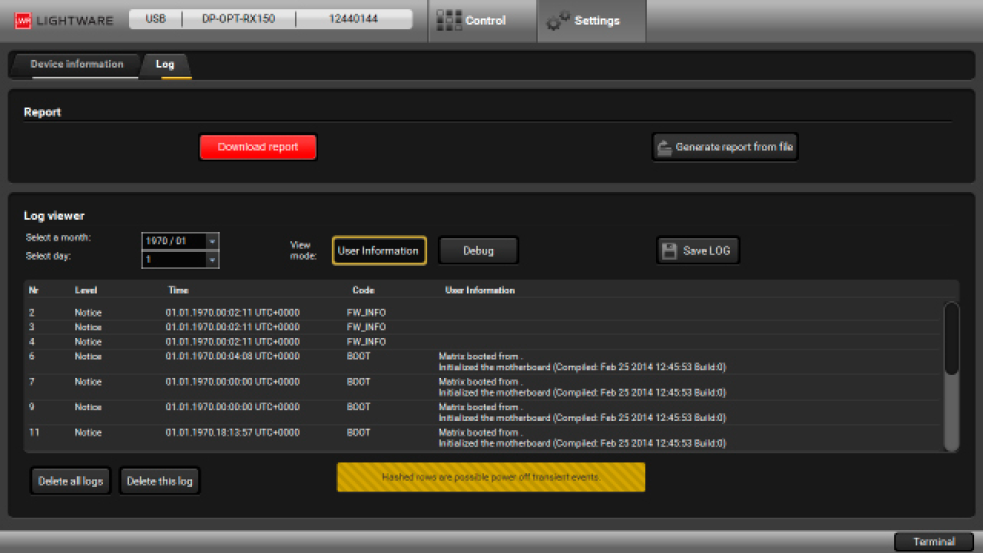
The Log tab
LDC is able to collect information from the extender and save it to a report file. This information package can be sent to the Lightware support team when a problem may arise with the extender.
ATTENTION!When a report is necessary to be generated, always leave devices (source, sink) connected to the extenders, do not disconnect them. Lightware Device Controller will collect information about the USB devices and about their status.
Step 1.Press the big red Download report labeled button on the Log tab in Settings menu.
Step 2.LDC collects the needed information in a minute.
Step 3.When the process is finished, the Save as dialog box appears. Select the place where you want to save the report file. The default file name can be changed.
The report contains the following information:
▪Current command protocol
▪The equipment type and serial number
▪Firmware version of the controller
▪Installed I/O board type and version
Generating a Custom Report File
INFO:This function is only for special troubleshooting cases.
Device Controller is able to send a custom command file to the extender. The command file can be generated by Lightware support. This is needed when some special commands need to be used for configuring or troubleshooting.